The simplest way to choose
Ask one question: Does anything need to change before this goes on the table? If the answer is no, open the print-ready PDF and move on. If you want a different colour, font, wording, or personal detail, use the Canva template.
| Compare | Ready-to-print PDF | Editable Canva template |
|---|---|---|
| Best for | Fast, low-decision setup | Personalized wording or styling |
| Account needed | None beyond Etsy access | A free Canva account |
| Time | Print as soon as you download | Allow time to edit, proof, and export |
| Most reliable format | The supplied PDF | Download the finished design as PDF Print |
| Good to know | The design is already finished | Editable elements vary by product |
Choose ready-to-print when…
- The existing wording and colours already fit your shower.
- You need the games today or want the fewest possible steps.
- You prefer not to work in a design tool.
- You want every copy to match the product photos exactly.
The print-ready path is wonderfully simple: download the PDF from Etsy, open it in a PDF reader, print one test page, and then produce the quantity you need.
Choose the Canva template when…
- You want to coordinate the game with a specific colour palette.
- You need to update wording, prices, questions, or another editable detail.
- You want to change the font style or add a small personal element.
- You plan to share a finished image digitally instead of printing.
Check the listing first: every template has its own editable and fixed elements. Read the product description before purchasing rather than assuming every graphic, page size, or orientation can change.
How to use an editable Canva game
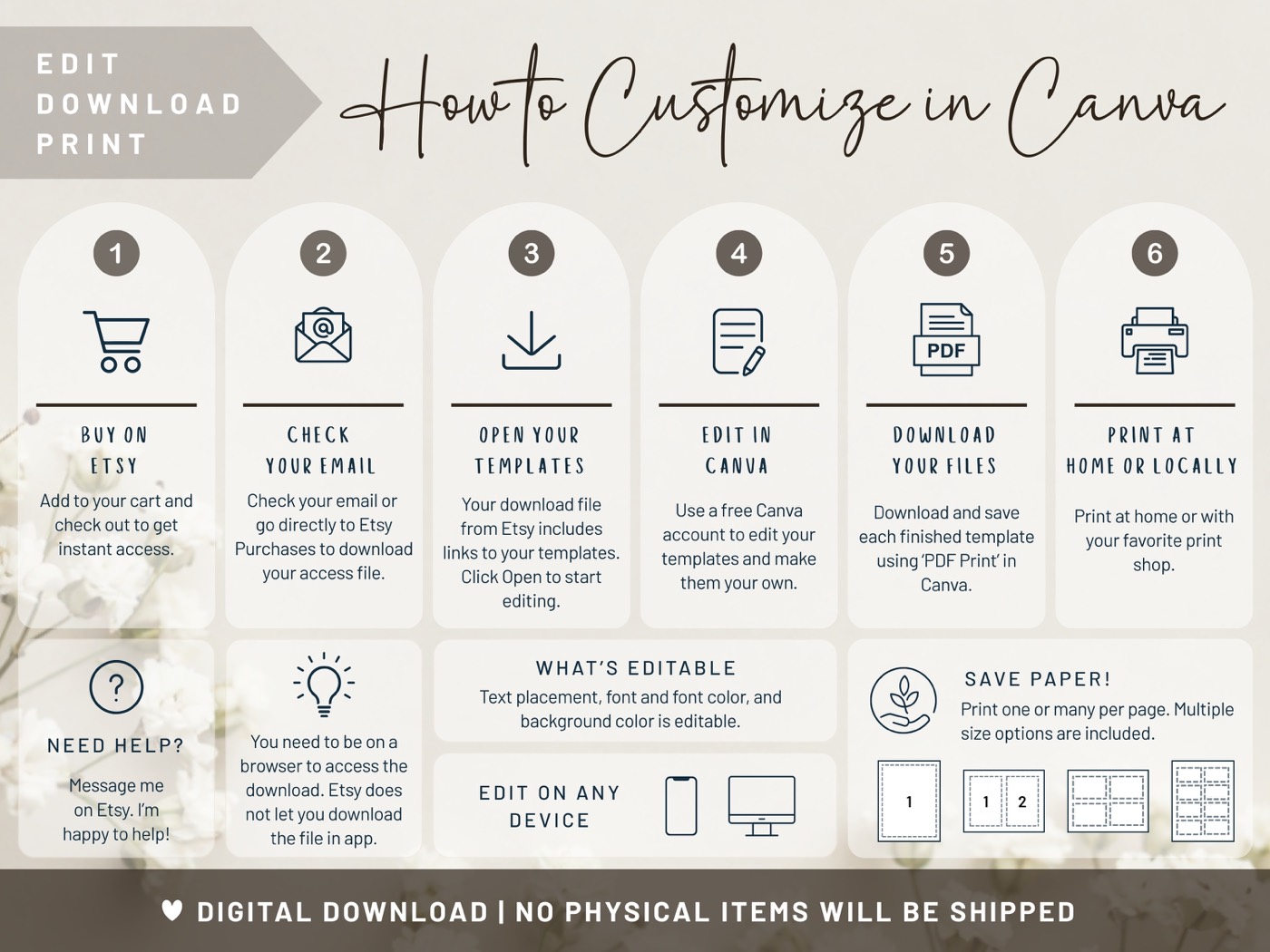
- Complete your purchase on Etsy and open your Etsy Purchases.
- Download the links-and-instructions PDF supplied with the product.
- Use its button or link to open a fresh copy of the template in Canva.
- Sign in to a free Canva account, then make your supported edits.
- Proof every page, especially names, dates, prices, and answer keys.
- Download as PDF Print for printing or as an image format when the listing supports digital sharing.
What if you change your mind?
When a Sweet & Merry product includes both options, nothing forces you to edit. You can open Canva, experiment, and still return to the supplied ready-to-print PDF. Keep the original files untouched so you always have a clean version.
Three mistakes that are easy to avoid
- Editing the preview instead of your copy: always open the customer template through the supplied link.
- Printing a screenshot: export a proper PDF Print file after editing.
- Skipping the proof: check the answer key and print one sample before making copies for every guest.
The practical answer: edit only what improves the celebration. A finished, well-designed PDF is not the lesser option—it is often the calmest one.